 Blog
Blog Links
Links Contact
 About
AboutTouching down on planet KDE Neon
Publish Date: 2026-04-06
Touching down on planet KDE Neon!
Since I was unable to use my touchpad gestures on Ubuntu 25.10, I decided to give KDE Plasma a spin since it's a desktop environment focused on the conventional mouse and keyboard. The touchpad gestures aren't exactly a huge deal in my book, but they're necessary for the GNOME desktop and without them, it becomes considerably less usable compared to the alternatives.
After testing out Plasma and liking what I saw, I decided to go all in on KDE Neon, which is a Ubuntu derivative that's focused on the KDE Plasma environment directly from the KDE project. It's similar to Kubuntu, but they persist in stating they're not the same thing. The difference being is that KDE Neon has newer releases of the desktop while remaining on an LTS version of Ubuntu. In this case, it's 24.04, so I've gone back a few release versions in the Ubuntu world, but I'm on the latest KDE Plasma desktop.
It comes with Xorg included, but I was unable to get touchegg to work on it for my touchpad gestures. Since it's not that big a deal here unlike GNOME, I've been using the default Wayland session instead.
Right out the gate, KDE Neon didn't come with an office suite, a calculator, nor a mail client. I suppose that's fine if you want a system without all the extra cruft, but I do, so I went ahead and installed everything I want. This lead me to discovering the giant list of KDE Applications that honestly I didn't really know about.
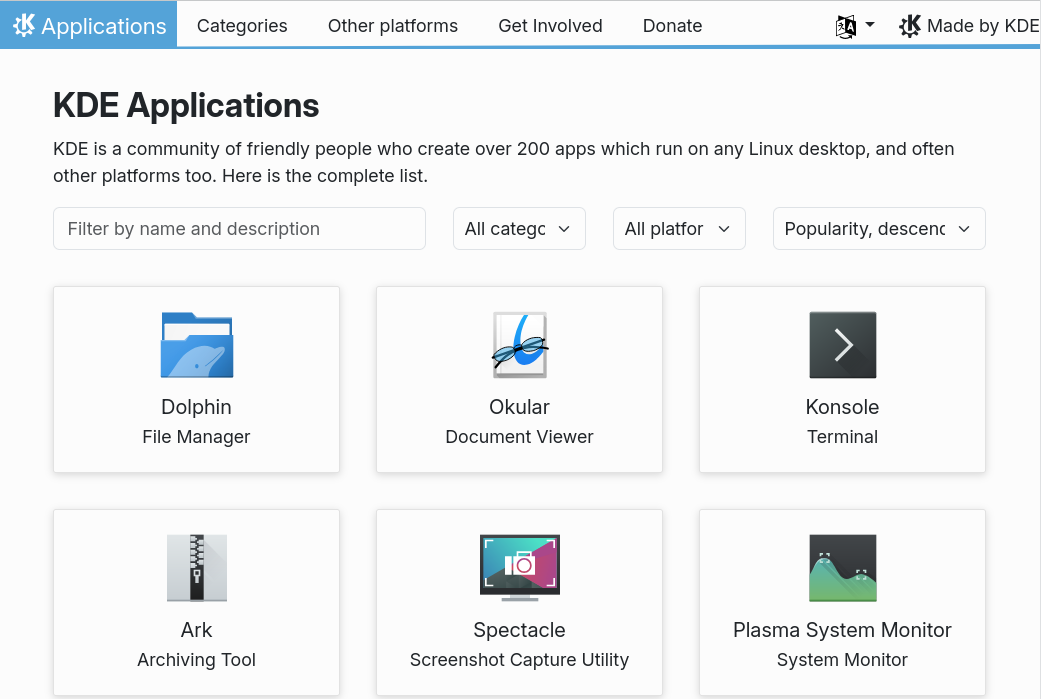
They have a lot on here.
I felt like a kid in the candy store scrolling thru the list of things. A lot of their applications are actually pretty good, especially by comparison with GNOME Circle Apps (which I usually avoided with alternatives, even while on mainline Ubuntu.) I realize much of this is nothing new, but just so you understand, I come from the GTK / GNOME influence which is spread across the solar system of Linux desktops. KDE was always its own system, but it was one I didn't bother with until recent times here. This was partly because the KDE applications would clash visually with my GTK applications and mostly because I was already set in my ways in the various applications I preferred.
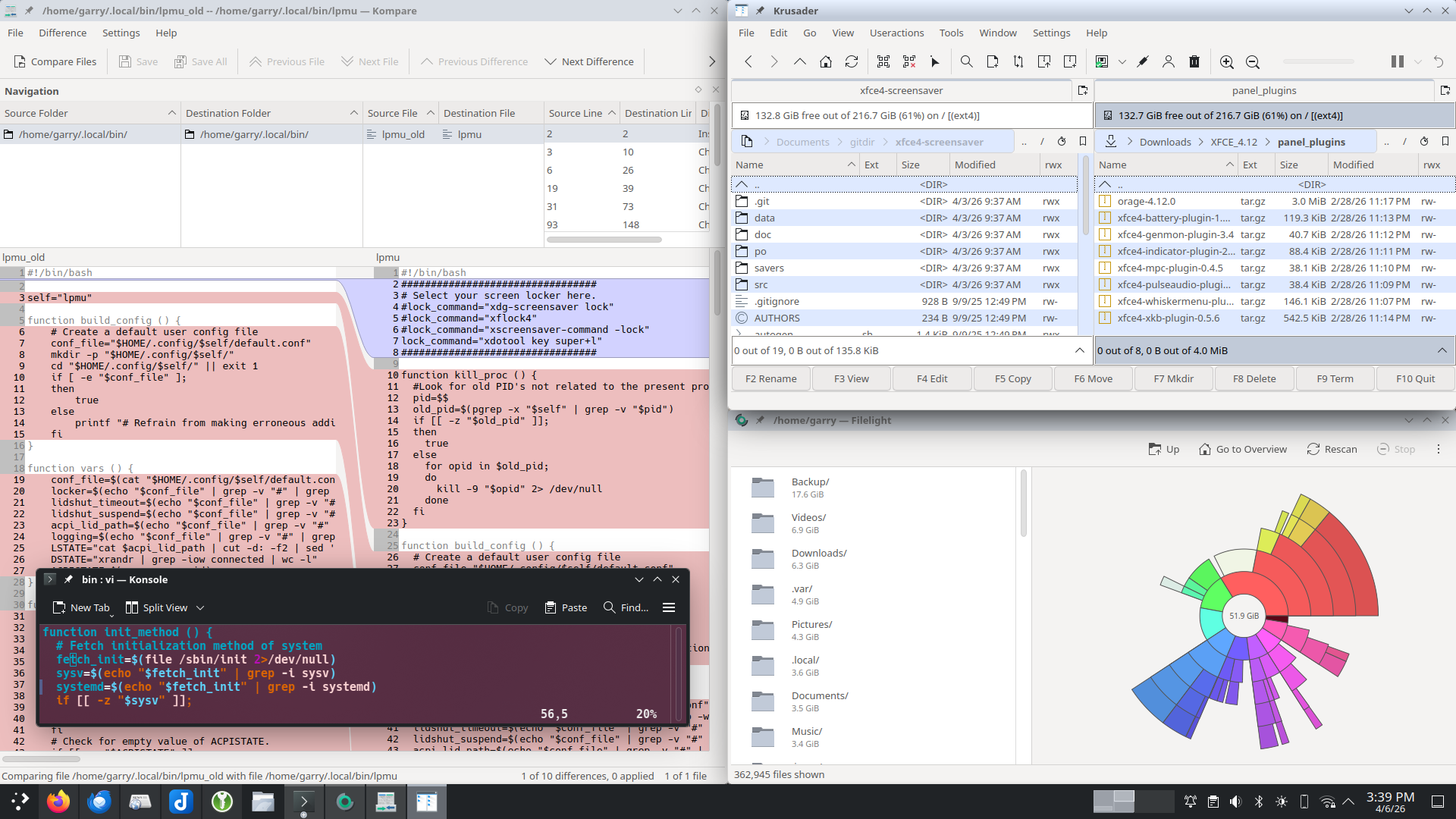
To this day I still prefer Liferea for RSS and Thunderbird for email and refuse to use Akregator or KMail in their place, but I've been willing to try out other things. For example, instead of GNOME Disks, the KDE Partition Manager. Okular for PDF files instead of Atril or Evince. Ark for file archives instead of Xarchiver. Filelight instead of disk usage analyzer. Kompare for diff checking files instead of Meld. KTorrent instead of Transmission for torrent files. Smb4K instead of Gigolo for mounting file shares.
I think each one of these are possibly even better than the former applications I've been using too. At first glance, they're all consistent and clean. Okular has a lot more capabilities than any other generic PDF viewer I've used before. I'm still a little leery about Smb4k, but so far it's worked well; I still think the GVFS backends utilized by Gigolo were technically superior, but I'll give smb4k and whatever it's using on the back-end a chance.
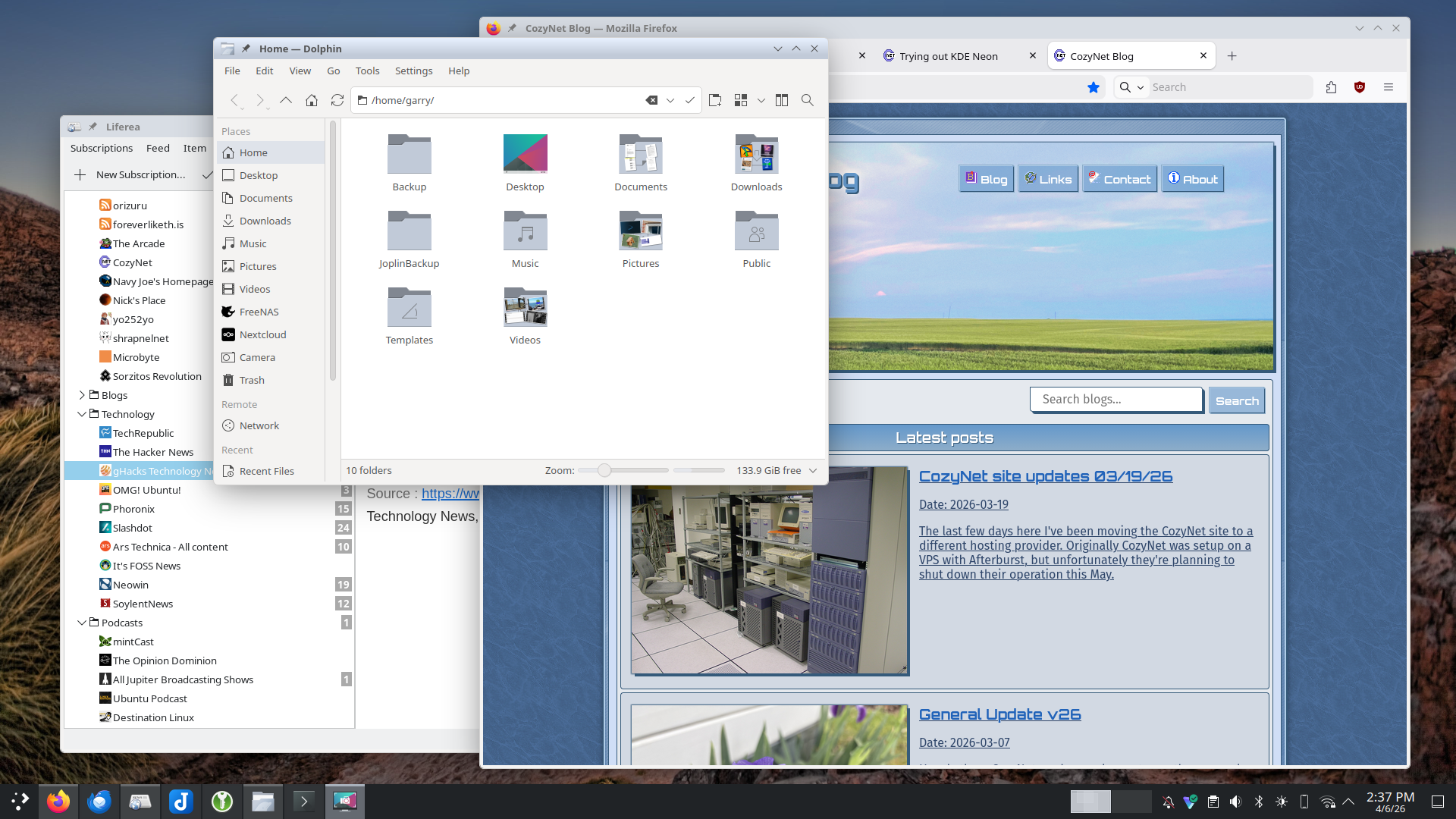
The reasons I stick to Thunderbird and Liferea is because each one does its job better than anything else out there and I've used them for a very long time (Thunderbird especially.)
A lot of the cleaner and modern mail clients out there only support IMAP instead of POP3 and their default security settings are essentially nothing. The ones that do support POP3 mailboxes tend to mangle those mailboxes into a singular directory while providing special care for IMAP boxes. The only competent mail clients that support POP3 are either old as the hills and tend to not play well with HTML-based emails, or Thunderbird. There's also Betterbird, but Thunderbird does everything I need.
You can't set the mailbox port higher than 9999 in KMail. My mailbox daemon runs on a higher port than that...
As for RSS News readers, Liferea has been the only one I've seen that actually works worth a darn. All of the modern alternatives out there have zero organization and poorly attempt to force users into meta-data tagging their feeds into "categories" (information that's non-exportable to other clients by the way because it's not part of the OPML format) rather than just giving you a dang folder. I hate that junk and want a folder! And not only that, but I also want to "fetch" the feed status per-folder instead of fetching everything all at once because I still have well over a hundred different feed subscriptions, and not all of those I care to read but maybe once or twice out of the year.
Additionally, the modern RSS News readers almost always have the worst screen-wasting layouts that attempt to cram everything into columns while cutting off news titles into ellipsis. Could you imagine getting a newspaper that cuts off the headlines like that? I only want my feed subscriptions in a sidebar column with tree-style folder drop-downs and then a top-row listing feeds per selected folder (this is called "Table view" in Thunderbird by the way) and a bottom row for the reader.
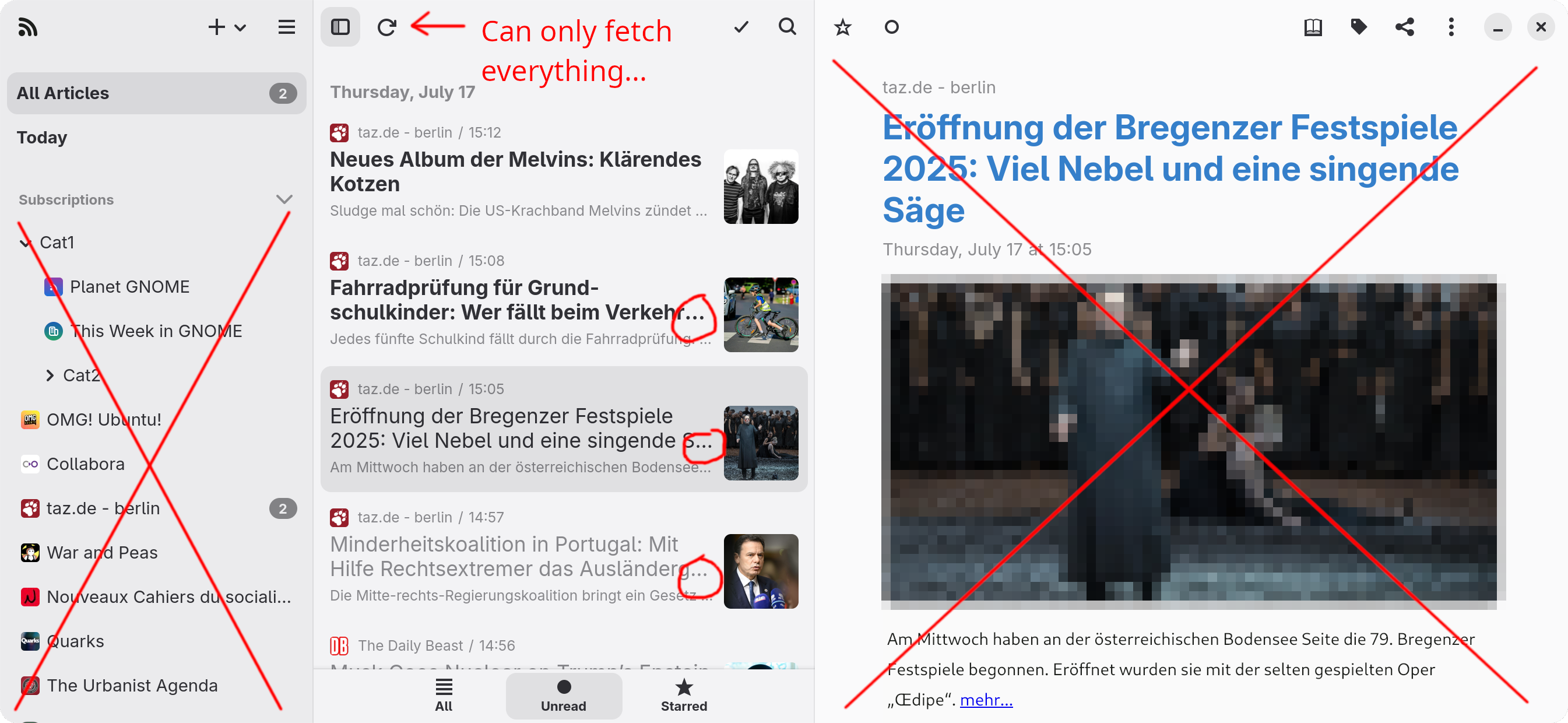
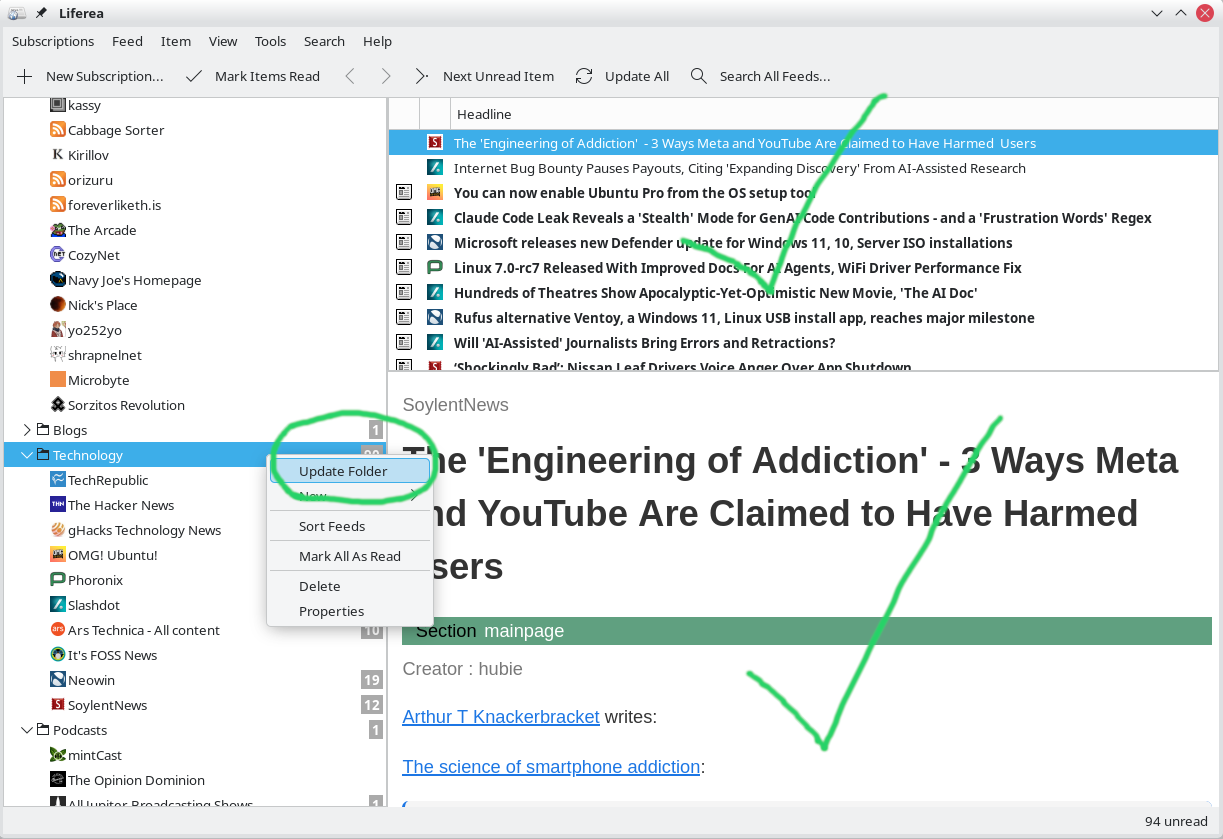
FYI, The first image is a stock screenshot from the GNOME Circle project. The second screenshot is from my Liferea.
Akregator can do all of this, but every time I've tried to use it, it'll either outright miss or skip feeds when fetching, gets things terribly out of order (because it doesn't correctly handle publish dates on non-atom feeds), or simply crashes in the middle of fetching feeds for no reason. It also doesn't support what I assume are unicode icons or emoticons; I don't know what they're called, but it fails to render them. So therefor, I remain with Liferea.
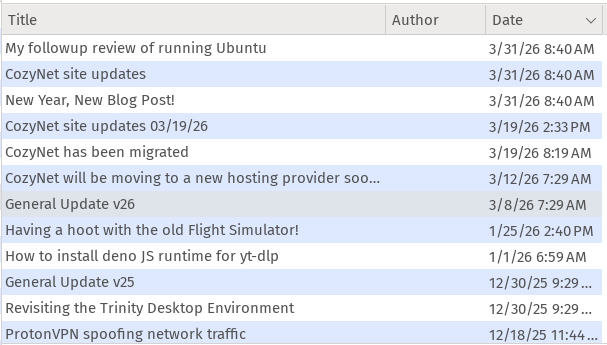
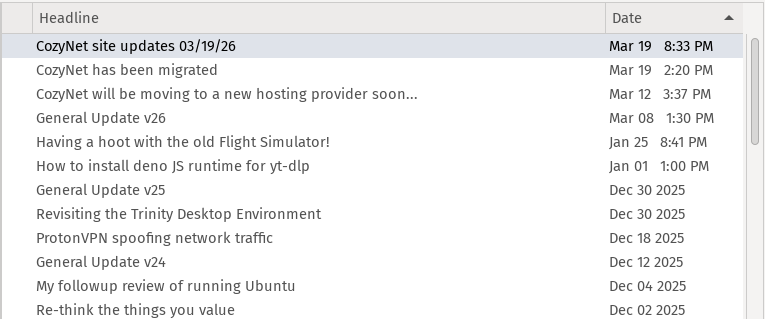
The first image is Akregator with the CozyNet feed dates out of order. The second image is Liferea with the correct order.
I can gladly say that KDE Neon works just as well as Ubuntu did for me. My Dell dock station works, bluetooth works, I can connect my camera (old company iPhone I use exclusively as a camera.)
I have noticed a phenomena of missed clicks when I attempt to launch an application. I'll click on an application icon from either the start menu or the taskbar and nothing happens. I click a second time and then it registers. I don't know what that's about, but it's slightly irritating. I don't know if this occurs on the Xorg session or not, which by the way I did try out the Xorg session and instantly noticed the floating panel style causes a frame hitching effect when toggling the maximized state of an application window. It was very irritating and so I disabled it and that resolved it.
I learned pretty quick that the kiofuse service for connecting to file shares is quite limited. For instance, I can't configure the built-in backup service to use my network file share as a backup destination; it expects a block device.
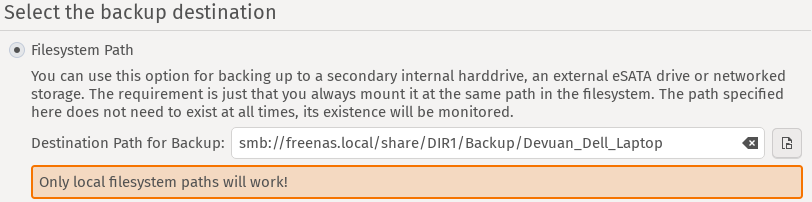
I suppose I get what I paid for...
This is when I looked around on the KDE Applications list and found Smb4K which all worked out, but I suspect Smb4K is more or less a front-end to the crusty old mount command which in that case, is incapable of handling network changes without trashing your system by pegging out the CPU if disrupted. I've not put much research into it yet and could be wrong, but if I'm right, I'll have to switch over to the gvfs-fuse system and use Gigolo for managing the network share.
I had to disable the Baloo file indexer entirely because it was very inefficient, utilizing 100% CPU which was going to burn thru my battery. It seemed to be getting caught up indexing the contents of various text files in the ~/.var directory. Initially I thought it would take a while to complete its process since I copied over my Downloads, Documents, and Pictures, but it wasn't even touching those directories yet and I could see in Filelight it had already amassed a 19GB database of whatever the heck it was indexing. I deleted it and disabled Baloo because I don't need it anyhow; I typically know where my files are at, and if I need to search for something on my system in particular, then I'll use find, grep, or locate.
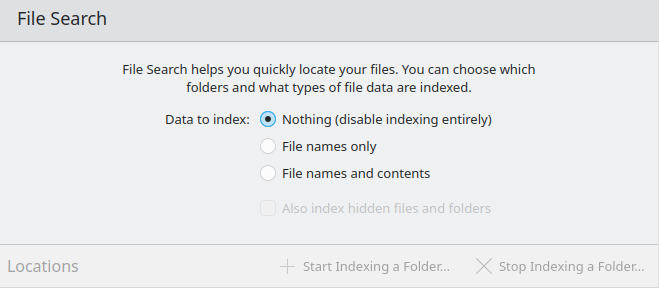
Thanks, but I already know how to fish.
KDE Neon seems to have a focus on Flatpak and the Flathub repository rather than Canonical's Snap ecosystem despite coming with both. It doesn't really bother me either way so long it works. I am a little suspicious of both packaging systems though given the recent age attestation laws. These modern packaging / app stores seem ripe for regulatory capture unlike the conventional packaging systems that were all over the place. I suppose if I have to make an exodus in the near future, I'll move over to Devuan. I have tested KDE Plasma 6 on Devuan, but there are a surprising number of little SystemD gotcha's under the ol' Plasma hood that lead to a lot instability. In this regard, XFCE might be the only future which isn't so bad. Debian with XFCE is originally where I came from, having used it consistently since 2012 till 2022, that is, until I recently decided to smack my head into a wall in trying out different Linux distributions and desktops.
I'll keep an eye out on where things go, but for now I'll continue to happily use KDE Neon. Maybe I'll even donate to the project too, that way I can say I'm paying for something at least.
Thanks for reading my blog!
[Back to top]
Comments: