 Blog
Blog Links
Links Contact
 About
AboutMy followup review of running Ubuntu
Publish Date: 2025-12-04
A few months ago I wrote a blog post about my experience with Ubuntu 25.04 and the GNOME desktop. I'm glad to report that I'm still on the same setup and haven't yet jumped off onto a different distribution or desktop. Since then, I've updated the release version from 25.04 to 25.10 and haven't encountered any major breaking changes.
There are a few things I'd like to write on though, such as the removal of X11 support, UUTILS replacing the GNU coreutils, and also the seeming inability to mount NTFS file systems.
I was hoping a release point update would resolve the NTFS file system mount issue that I've encountered ever since moving back to Ubuntu. I don't have that many drives with the NTFS file system on them anymore, but for the few that I do, it's kinda frustrating that it doesn't work. I've even installed the ntfs-3g package, but it hasn't changed the status. In the meantime, I just use the old desktop PC if I need to deal with it.
Something I've recently re-discovered is GNOME boxes. I recall using it when it was new on the block and absolutely despising it. It was too minimal and didn't support some of the most basic of features one would expect in a VM manager UI to a hypervisor. It left a bad taste in my mouth and so I continued to stick with good ol' VirtualBox for my virtualization needs. I was aware of the KVM Virtual Machine Manager, but even it was lacking in particular functionality compared to VBox, causing me to have to resort to the tedious XML configuration files for my VM's.
I'm happy to report that GNOME Boxes is now considerably better than VirtualBox. It provides all of the basic expected and necessary UI elements for configuring a VM, such as device pass thru, snap shotting, CD/DVD rom support, and my favorite by far (which VBox and it's crummy guest additions seemed the only hypervisor UI to support until now) is the ability to share host directories into the guest environment. Since GNOME Boxes utilizes QEMU, KVM, and libvirt virtualization on the backend, the performance of the VM's is splendid as expected. So now with a proper VM manager for QEMU and KVM VM's, I don't need VirtualBox anymore.
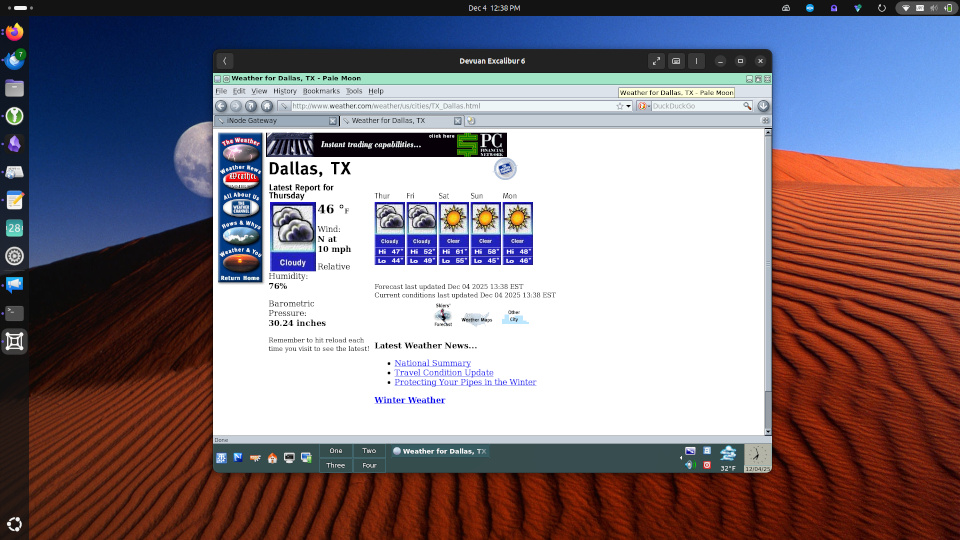
Screenshot of GNOME Boxes
Also tangentially related, but on my Ye Olde desktop PC running Devuan... I was able to make a raw image of my equally Ye Olde Windows installation with DD, then convert that to the Qcow2 format. I remember attempting to do this around 8 or so years ago, and the conversion utility bombed out and failed to ever convert the image into a format I could use in a virtual environment. Today it took me less than 10 minutes and it just worked! GNOME Boxes even had a profile just for little old Windows 8.1 and booted it up no fuss just like its bare metal counterpart. Even my SAMBA network shares auto connected! I did have to bungle around for the spice driver for Windows, but it wasn't too difficult to locate on their website.
I remember a time when absolutely nothing ever worked, and it was like pulling teeth to get any kind of relevant information on just what the heck to do. That ain't the case anymore. In fact, the situation has reversed where everything seems to just simply work on Linux while other operating systems are just left floundering.
Now not everything was a win though... I don't have an in depth knowledge in how the VM USB pass thru protocol works, but unfortunately my Steinberg UR22 audio interface doesn't play nicely which is part of the whole point of my attempt at virtualizing my Windows 8.1 OS. I only ever need it for my DAW (FL Studio 11) for making music. The audio interface is essentially an external sound card that uses an ASIO driver for processing audio streams directly onto the device. This is crucial for music production because the host systems integrated audio processor isn't capable of handling especially difficult and large workloads (especially whatever KVM is cooking up for the virtual environment.) You can usually get by with the AISO4ALL driver and your integrated audio processor for simple tracks, but if you're making professional level music with multiple channels and complex effects, you'll need an audio interface for this. If I could get this working, then I'd no longer need to boot into my crusty Windows install which precariously hangs on an ancient 60GB SSD (back when they were the hot thing). It's still screaming fast and works without a hitch after all these years, but it's roughly 14 years old now and probably doesn't have much longer to live.

...11 years later and still rocking the same setup.
Anyhow, back to Ubuntu!
The lack of X11 support is a bit of a bum deal, but so far I haven't run into any major breaking issues under Wayland. My Activity Watch application for tracking my usage no longer works, but I have a pretty good insight now into where I spend my time, so I can probably do without it now. Another program I've lost is Touchegg, which I used for making custom touchpad gestures. I would really like for some way to make custom touchpad gestures in GNOME settings because the defaults leave a lot to be desired.
As for UUTILS replacing GNU Coreutils, I don't really know what to think about it... It doesn't really affect me, but principally it seems a subtle stab to the free and open source software spirit with obvious long term implications overseen and ignored by short term gains in performance. Albeit the licensing for UUTILS is permissive, there's a reason the ever so contentious GPL exists since it makes provision in keeping the source code open. Anyhow, Canonical is a business in the interest of making money, so naturally they're going to follow the money if it means compromising on hair splitting scenarios.
Allegedly this has already lead to some bungling of security, but it doesn't bother me since this is just a personal laptop. As for a server, I wouldn't touch Ubuntu with a 10 foot pole regardless of UUTILS or not. Stick to Debian for personal stuff and RedHat for the enterprise.
So to wrap up. Performance has been great, battery life is good enough, it'll actually suspend the CPU when the lid is shut instead of that weird fake suspend that drains the battery which was once a common site among Linux distributions forever in a day. My Dell docking thunderbolt station works, bluetooth works without much intervention (sometimes I have to manually switch the primary audio device to my bluetooth speaker), wireless headset works, touchpad palm detection works as well as three and four point gestures (albeit I can't modify their actions so kinda useless at the moment.)
The snap App Center has been handy in easily installing and maintaining "deno," the javascript runtime needed for yt-dlp. I did find that Bazaar, the flatpak flathub frontend client stopped working for some inexplicable reason, so I installed GNOME software with the flatpak plugin to at least automatically maintain package updates.
Thanks for reading my blog!
[Back to top]
Comments: